Dashboards
Composing personal boards with device widgets and an alarms tracker.
Dashboards
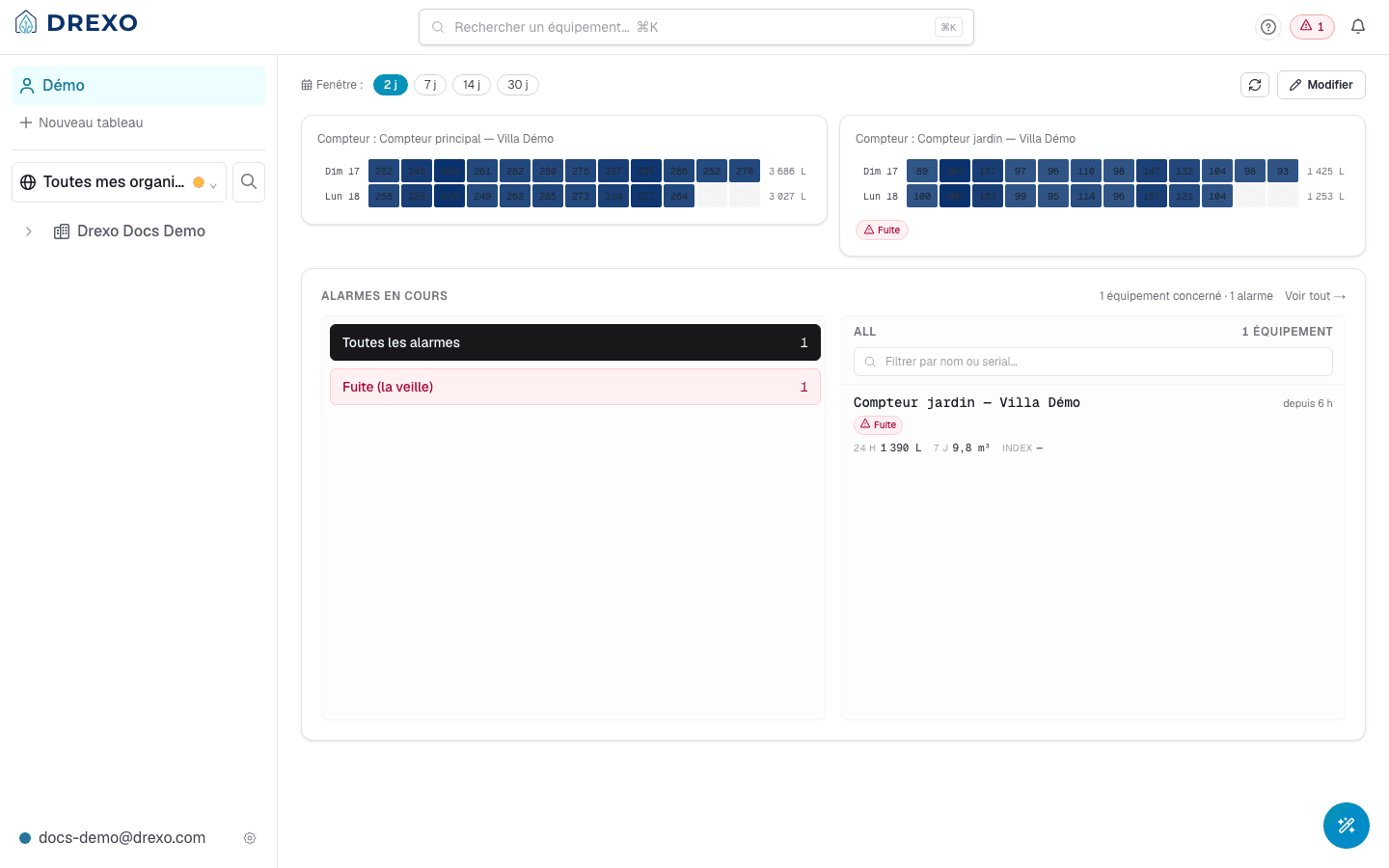
A dashboard is a composable view of multiple devices on a single page. You can create as many as you want — one per site, one per customer, one per use case — and pin the widgets that matter.
Drexo has two dashboard families:
- Personal — strictly yours. Listed at the top of the left rail.
- Zone — attached to a zone (a site, a building, a floor…). Visible to every member of the owning organisation.
This page covers personal dashboards.
Create a dashboard
In the left rail, under your dashboards list, click + New board. Give it a name (editable later), optionally pick an icon, and confirm.
The new dashboard opens empty, ready to be populated.
Add devices
- On a device page, click Pin to a dashboard and pick the target dashboard.
- Or, from the dashboard view itself, click the + tile at the bottom of the grid to open a device search.
Every device widget shows:
- Its contextual name (organisation alias > internal name).
- Its recent consumption over an adjustable time window.
- Active alarms if any.
- A link to the full page.
Reorder, rename, delete
Toggle Edit mode via the Edit button (or by adding
?edit=1 to the URL — shareable). In edit mode:
- Drag-and-drop each widget to reposition it.
- × Remove a widget — surfaces a 10-second undo banner.
- Rename the dashboard from the toolbar.
- Delete the dashboard entirely (irreversible — Drexo asks for confirmation).
The ?edit=1 URL is shareable, which makes it collaborative in
this sense: two people can edit the same dashboard simultaneously,
the last writer wins (writes are per-widget, not per-dashboard, so
two people reordering different widgets don't clobber each other).
The "Alarms" widget
A special widget — the list of active alarms across all your accessible devices — can be pinned to any of your dashboards.
- Go to the Alarms page.
- At the top, the Pin widget on selector lists your dashboards. Tick those that should display it.
The widget reflects the same list everywhere: it's the pin that's multi-dashboard, not the alarm state itself.
Time range
Each device widget can show 1, 7, 30, or 60 days of history. The default is 7 days.
- Per-widget: a selector on the widget itself overrides the default for that tile only.
- Per-dashboard: no global setting (yet). Every widget starts at 7 days unless individually overridden.
Going further
- Device page — where you pin from.
- Alarms — where you pin the alarms widget from.
- Sharing — a shared device can be pinned to a personal dashboard exactly like a device from your own organisation.